Wednesday, August 30, 2017

Another week without cellular data!

A few weeks ago I ended up turning off cellular data again to try to improve my productivity and increase my attention span. I began on a Tuesday I think but kept forgetting to blog about it until today. Here are my thoughts from during the experiment, edited for coherence.

This time, I've included a random selection of HDR images I've taken of varying quality :P

Tuesday

Read more of Idiot Brain
Finished the Verge article on the secret history of the iPhone.

Sovereign Hill, Ballarat

Wednesday

Read this fascinating article on the history of pockets.

Haven't been able to stay off mobile data completely, need to check timetables and communicate. But at least I have been staying off Facebook and Reddit more. Makes me more mindful of it.

Hanging Rock, Victoria 


Thursday

Mid-Thursday I ran out of data! Have stay off mobile data now because it doesn't work.

Thursday afternoon I read a long article on the underground music piracy scene in the 1990's. 

Smeaton, Victoria 

Friday

Friday morning I read an article on the nervous system, immune system and inflammation.

During the day I went through my phone and deleted old SMSes.

New Zealand.... 

The Weekend

Saturday I was at a friend's place so was occupied.

Sunday didn't need data as I was on wifi. Then I went out and met a friend, didn't need data as I was with company and could coordinate over SMS.

Rotorua, New Zealand

Monday and Tuesday

I didn't write it down, but I remember running out of cellular data on my plan so that forced me not be tempted. I don't remember what I read, maybe just more of The Idiot Brain.

Old State Library Building, Brisbane 

Wednesday

Wednesday I bought more credit so the experiment is over. 

Brisbane City Botanic Gardens 

Monday, December 5, 2016

Android App Review - Fuelio

+Fuelio  is a great utility app available on Android for logging your car fuel consumption and other costs such as insurance, repairs and maintenance. The app was so popular and well loved it was acquired in March 2015 by navigation app company Sygic. Pleasantly the Sygic has allowed the original developer Adrian Kajda to continue with development and product management rather than taking it all in house. As well as tracking your fuel top ups and consumption together with various car-related expenses, Fuelio also has many useful reports for gaining insights into your spending habits over various time periods and graphs to visualise the data.

Fuel Tracking and Reporting

Entering fuel is easy with the app showing your most recent odometer reading and calculating whichever of the fuel cost, total cost or amount of fuel you don't enter. Conveniently, you can still go back and edit any of the values - it will only auto-calculate the missing data once, which is what you'd want.


If you want, you can use the trip meter instead of the odometer reading, save the GPS location of the fill up (and report on it), and add a note.

The "(not set)" option in the Fuel type refers to the octane of the the petrol or the appropriate subtype of fuel based on the type for the car (diesel, ethanol, electric etc.)


So far though, I haven't found a way to include the fuel type in any reports, but it might be added in a future release.


With a full-tank fill up Fuelio will calculate the mileage between that fill up and the previous one, displaying it in green if it's more economical than the previous mileage calculation.

Cost Logging and Reporting

Fuelio has many built in cost categories such as insurance, tolls, maintenance, registration and you can add your own or delete those you're not using. In my case, I've created a CLUB cost category for the auto club memberships and of course I used the built in categories of SERVICE, REGISTRATION etc.  I like the segment graph of the various costs - it's handy to see an easy breakdown of costs of owning a vehicle.


The statistics are useful, providing averages, year-to-date, fill up and fuel statistics and km travelled.


Graphs

You can visualise the costs of your fill-ups and costs in a line chart over selected periods. The line graph of fuel and fill up costs helps you see price trends, and I like the bar chart of monthly costs to find expensive months.


If these aren't enough, there's a dedicated Create Report function which you can choose a custom time period and get aggregated statistics for Costs or Fuel or both for that time period.

Other Features

Calculator

A nice feature is a fuel economy calculator accessible from the home screen - enter the distance you plan to travel and the most recent millage (which the app of course can automatically surface for you) and Fuelio can calculate the cost for that distance. Apologies for the red tinge, I forgot I had Twilight running when I took the screenshots at night.


Syncing and Backup

Fuelio can backup it's data to Dropbox or Google Drive which I have used to sync to the tablet or of course you can restore to a new phone anyway. There is a new feature to sync between devices, presumably automatically (I haven't used it), but in the past I've just downloaded from Google Drive on the tablet as a spare copy for reference or something. Of course, I used the phone as the main device rather than the tablet.


Reminders

If you have recurring costs like tire checks every X KM or services every year, Fuelio can also remind you about them as appropriate when you fill up.


Multiple Vehicles

I only have one car, but for those that have multiple you can track all of the above features separately for each car, and record notes like make, model, year and registration.

Final Thoughts

I've been a long time Fuelio user and have appreciated the regular updates from the developer and the thought they've put in to the features and functionality. The app uses the Material Design language so it fits in well to the Android ecosystem, and looks good too. There are also app shortcuts which the new Pixel Launcher and Action Launcher 3 have exposed or you can manually set shortcuts to go straight to the fill up or add cost screens - handy at the service station or repair shop. Fuelio is available on the Play Store and Fuelio has a friendly website with an FAQ.

Wednesday, August 31, 2016

A week without 3G - Day 7!

I guess that's a week now! My experiment is nearly over, of course I could continue crux of the matter. Though now I'm pretty used to it so I don't actually think I will. Maybe I'll cut back on this blogs though now at least.

Following is my Note from today (notes from the day in italics, in-place amendments in normal script):

Day 6
On the bus in, I switched to The Seven Habits of Highly Effective People, rather than the random Pocket articles on brain studies or motivation or life/relationships. 

I got a Facebook message from a friend via Wi-Fi just before I left the house, which I couldn't reply to. I'd have liked to, but it wasn't necessary because a) it's Facebook chat (IM shouldn't have an importance placed upon immediate replies anyway), and b) they know about this experiment anyway. 

I also wrote these notes. Which unfortunately caused me to stop reading the book. 

On the way back home I read more of the book from this morning, tried to play more of the game from Day 1 and also just thought some more.

---

Today, I didn't even turn on 3G once! Not even to receive an MMS or look up a map! I'm certainly getting better at choosing bus routes. I do think I'll try to keep 3G off more, and I like that the addiction to socmed has waned now.

To be honest... This whole thing started because I wanted to save power on my phone the night before I started the experiment and then I thought of doing the test, and blogging about it. How about that!

Sunset landing over Brisbane


Tuesday, August 30, 2016

A week without 3G - Day 6

I'm getting pretty good at this no 3G thing! 6 days into the experiment and I only had to turn on 3G once because the Wi-Fi was playing up and I wanted to catch up on a chat. I'm not really going to count it because I would have used Wi-Fi anyway, but thought I'd be honest on here.

Again, on the bus I got more reading and thinking done!

My Facebook and Reddit addiction is waning too now.

Funnily enough, it'll take longer to find the unrelated cool photo of the day than it did to actually write the words of this post!

The Wheel of Brisbane. I've modified it for dramatic effect!

Monday, August 29, 2016

A week without 3G - Day 5

This dairy is getting boring because there isn't news today. My experiment to turn off 3G and document its effect continues and now I'm almost used to it. I've got some more bus routes sorted out, the only time I had to turn on 3G again was to receive an MMS (I turned it off afterwards).

Again, on the train, I read some saved articles on Pocket. I had no real reason to check Facebook or anything like that. I'm beginning to better separate my life away from social media and gather my thoughts. If nothing else I'm getting things read and other things worked on.

Random photo of the day is from one
Christmas decoration in Brisbane City

Sunday, August 28, 2016

A week without 3G - Day 4

Has it been 4 days of this experiment already!? So it has. (My experiment to see how my life is affected without the use of 3G internet on my phone and in what cases I'm forced to turn it back on.) (No notes taken during the day, this time since there was nothing to note down. Of course an unrelated picture for fun too.)

Again, today I was mostly at the coding event again, and again with Wi-Fi or "busy". (I use that term loosely because I didn't really achieve as much as I'd hoped.)

The one time when I needed 3G on my phone was for navigation and Google Voice control in the car, later on in the afternoon. Once I realised I was lost, I turned on data access on the phone so I could use voice directions to get myself unlost.

I didn't end up turning it off again, because once I got to the destination (a science and technology event), I was pretty busy looking around at the event and with friends so it didn't end up being a distraction anyway.

---

Today, 3G was useful for the navigation and voice control. I had a car GPS but it's hard to use and the Google Maps are much easier to use with intelligent searching. I think offline navigation with Google Maps is possible now, and also with other mapping applications. The voice control is useful while driving though - having said that, with planning just pull over and type out the message or open the navigation app!

Freemantle Maritime Museum in Western Australia.

Saturday, August 27, 2016

A Week Without 3G - Day 3

Continuing my experiment still, today wasn't much a problem without 3G (I took notes throughout the day when I had to turn 3G data back on or what I did instead):

Day 3
I was at a coding event today I haven't had to turn on 3G at all to check any timetables or anything. Once though, my friend sent me an MMS so I to turn on the carrier data to receive it. The rest of the day I was busy coding or on Wi-Fi anyway.

---

Of course, today I drove to the coding event and was on Wi-Fi or busy, so the lack of 3G data never really came up apart from when my phone couldn't download the MMS picture from the carrier's network. (I guess if you're on Wi-Fi, when the MMS comes through, the phone normally just temporarily turns data services back on in the background to receive the MMS.)


Fancy pants cupcake in front of a fire at an outdoor night market!

Friday, August 26, 2016

A Week Without 3G - Day 2

Following on from yesterday's post, I'm documenting my experiences in trying to leave 3G data off for as much as possible. I'm taking notes throughout the day on my phone of what I do instead of using 3G data or when and why I had to turn it on (e.g. need to check a timetable or map or expecting a message.)

Day 2 26/08/2016
On the bus in to work I read an article about what happens when you get shot.
But later, taking another bus I had to turn data back on to check some timetables.

On another bus, I caught up on an article about the size of Google's code repository. A filtering system for Pocket to tag articles by approximate reading time helps with choosing articles to read.

In the evening I went to a coding event, so I could use the Wi-Fi there, but didn't really need to because I was at an event.

On the way home I had some Wi-Fi at the bus stops, but not much. Fortunately I was able to keep the 3G turned off and use that time to gather my thoughts and think about the coding event.


---
End of day thoughts
So far I'm mostly finding that this is forcing me to do offline things like catching up on reading, or even simple things like sorting out niggling issues with my phone. I'll say that having access to timetables or maps is so useful it's difficult to stick to the experiment to check it. Though, with thought there are ways to fix this too - I can set up more locations in GoBrisbane offline public timetable app (but the list gets a bit tedious to scroll through then); use offline maps with Google Maps or Open Street Maps or similar (and most universities will have some sort of navigation app, probably offline); and of course the tried and true - plan such that you don't need to check the time table as much (may depend on your public transport stops and method of course).

I'm hoping, with practice I could get better at planning to not need the online timetable as much - this would be a useful skill anyway.

A water fall at JC Slaughter Falls at Mt Coot-tha in Brisbane.
With a few effects for visual interest.

Thursday, August 25, 2016

A Week Without 3G .... And Day 1

I've decided to start an experiment, where I'll attempt to turn off 3G data on my phone (in software) and document the experience - How I felt, if I could resist turning it back on or why (what happened), how does it impact my life?

To help keep things in perspective I'm taking notes throughout the day of what happens when I do or don't use 3G data. I'm allowing myself to use Wi-Fi if available without any restrictions though. So this experiment will only really affect me when out of the house or elsewhere without Wi-Fi.

Following is the story of day 1: (words in italics are from my notes I kept throughout the day, other words I've added in while writing this blog.)

I'm going to try to post a diary like this every day and an unrelated (that I took) picture for fun.

Day 1 25/08/2016
Morning. I'm waiting around the bus stop, and have to think rather than Facebook or Reddit. I had a Google+ thread already open so I could keep reading that. On the bus, I'll have to read some Pocket article. (I ended up reading this cool article on neuroplasticity.)

I was just now reading an article that referenced an Android app, had to remember until I got to WI-FI. I also opened the app Play Store page, which didn't work, but hopefully will open when I retry it. 

https://play.google.com/store/apps/details?id=debugger.nqr.com

After I got off the bus, I ran into an acquaintance who needed some directions, so I turned on data again to check the map, but luckily I was able to turn it off again before I got distracted.

In the afternoon I had to re-enable 3G to check the bus time, then of course I got distracted by a Facebook notification and then Facebook generally. 

I ended up playing a bit more of that cool brain game from the earlier article. This is something I might have done anyway of course - played a new game or with a new app.

---

Today I haven't noticed much of course because of the Wi-Fi inclusion, but it's kind of nice to be able to think or something on the bus, and it does provide a sort of demarcation between home and outside. I haven't noticed the battery life on the phone performing much differently, but then, it's still on Wi-Fi - it maybe different if I was away from data completely.

Aquarium is Melbourne.

Friday, October 9, 2015

Live Blogging Nexus 5 Marshmellow Upgrade

2151: I push Restart and Install. It then restarts to the Android updating screen.

2158: It's still showing the Installing System Update animation.

2159: It just vibrated and restarted. It's now showing this awesome flower and dots animation.

Video from Android Police.


2201: It's now optimising my apps. Up to now the process has gone surprisingly fast. Though usually, this app optimising stage is the slowest anyway.

2204: It's still optimising. Now up to 25 of 118!

2022: 66 of 118! Wow, this is more than double the time it took to "install" the new operating system... And it's only about half way through...

2033:20: 113 of 118, and the phone is getting pretty hot now.

2033:40: 117 of 118. Nearly there!

2234: Finishing boot!

2235: It's done! Finally!

Monday, August 17, 2015

Windows 10 "Unboxing"!

I upgraded to Windows 10 - it's free and it sounded good from what I've heard. Watch the installer in pictures if that's your thing.

Saturday, August 15, 2015

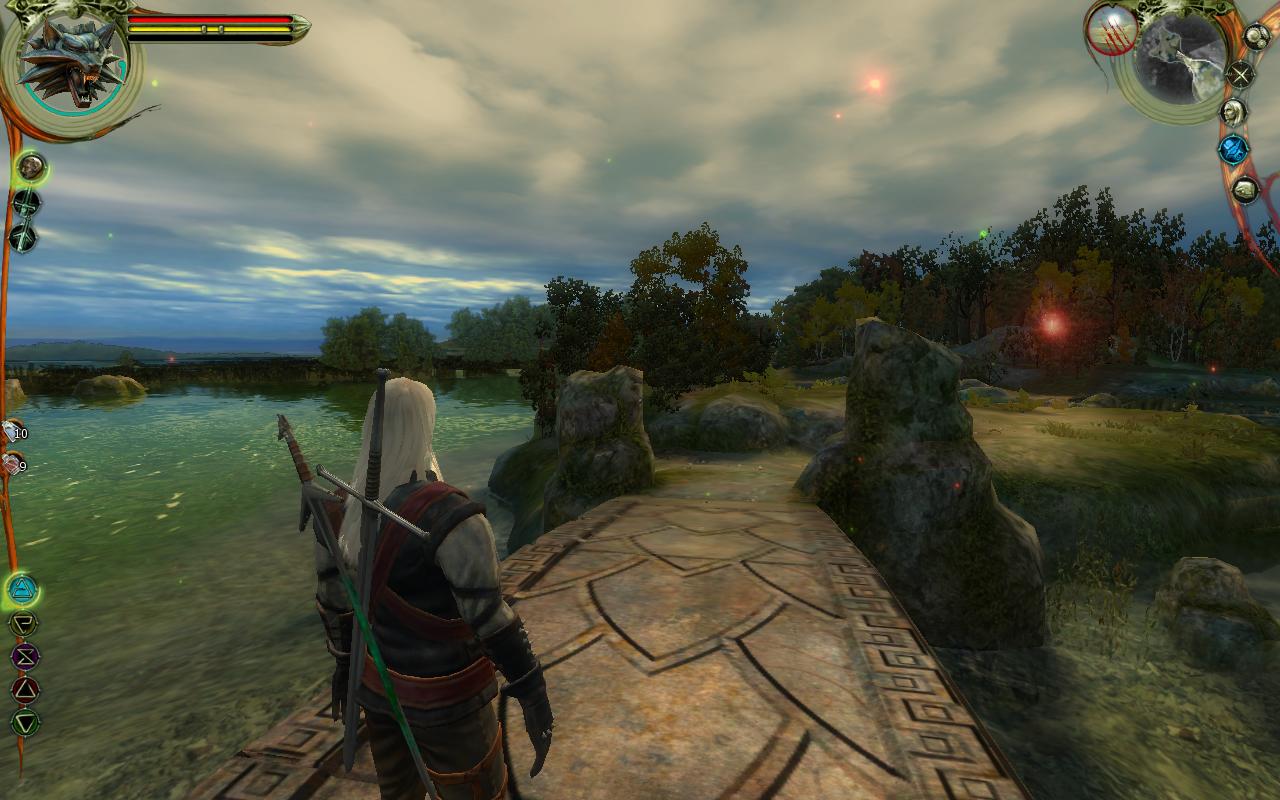
Storytelling in The Witcher: Wild Hunt - an analysis of the series so far.

After having played a further several hours of The Witcher 3, I have encountered much more story elements. I should add that while I have tried to avoid any story spoilers (just a few minor game play elements) for the Witcher 3, if you want a completely new and surprising experience, until you play the game for the first time, you may want to avoid this.

Taking Control

In the Witcher 2: Assassins of Kings, there are a few points in the game where the player takes control of a different character for a few minutes to show some aspect of the story from the other character's point of view, rather than protagonist Geralt's. For instance, at one point you play as a general on the battle field walking to meet his compatriots. In another point, you play as a captured enemy solider reliving some memories to reveal the location of a secret base. In both cases, the game, forces the player down a specific path, without needing to orient themselves in the game world. Often in story driven games, the enemies during these sorts of sequences are deliberately easier to kill and the alternative character may have much faster healing abilities, again for gameplay simplification purposes.

 The Witcher 3 uses this technique as well, to show what happened to a character that Geralt is looking for. In this case, in the story Geralt is told the events by a witness, but the game allows the player to experience them directly and actually influence the story to a small degree.


On a technical note, CD Projekt RED has improved the user interface in Witcher 3 to show the above sort of tips when the player first encounters a new screen. In this case, they explain that you are playing as another character and that you don't have access to your inventory.

In The Witcher 2, the game didn't pause to explain that you're playing as someone else for story purposes, so I felt it was actually a little jarring initially. Of course the character model is different  - which you notice is "off" - however the HUD didn't give much indication that I was no longer in a cut scene, so I initially didn't think to try to interact as I would if I was playing, instead of just watching. Once I realised I was playing as another character, of course I just played it the same. 

In The Witcher 2, these sections were quite self contained so you couldn't get lost. The Witcher 3, has so far has also set these areas in a relatively closed off section of the game world - actually inside a small canyon or dried river so that the player can really only travel forward. I actually tried turning around and running in the other way, but the valley seemed to continue in the other direction for quite a ways. And even then if you became disoriented, you could always follow the quest direction marker to get back on the path again. It's quite likely that this part of the world was specifically designed for this quest.

Reliving

In a similar vein as above, the games also Both The Witcher Assassins of Kings and Wild Hunt have told memory recall flashbacks to the player as interactive sequences played like normal gameplay. This technique provides a much more engaging story to the player than just a simple cut scene movie would.

The prologue in the Witcher 2 actually gives the player a chance to influence the story further along by way of your actions and dialogue choices with the character Geralt is conversing with. Without giving too much away, Geralt is being interviewed and his responses to the interviewer are acted out by the player. What's interesting, is that at various points, the game switches between the re-enactment and the interview, giving the player some dialogue options which changed the progression of the re-enacted story.

In the Witcher 3, the game opens with a flashback scene giving the player an introduction to the world of Witchers (in general) and the important characters in the story. In this playable-flashback, you're given opportunity to practice combat, Witcher skills, and introduced to the characters through direct interaction and dialogue conversation sequences. After this opening area, this part of the story is revealed to be a dream that Geralt is having while resting with the other witcher (companion) who the player was previously introduced to in the opening gameplay. They then have some conversation which the player can direct to learn more if they desire. After this the rest of the game continues with a horse ride to the next town.

Story Progression

The Witcher series of games have always been story heavy and The Witcher: Wild Hunt is no exception. The story structure in Wild Hunt (so far as I've played at least...) seems to be more similar to The Witcher than Assassins of Kings.

The original game in the series is clearly divided in to 5 acts, plus a prologue and epilogue. The prologue gives the player an introduction to the concept of the Witchers, and begins the story of the stolen witcher secrets. First, you need to make your way to the capital city performing tasks and helping the inhabitants of the neighbouring city, before they grant you access to the capital city of Vizima. Once you gain access to Vizima, the first couple of chapters progress from finding and researching the conspirators, to attempting to capture them. Finally, a break in the action to enjoy the Lakeside during Act 4, and returning to action to catch up with the conspirators in Chapter 5, concluding in dealing with the mastermind in the Prologue.

The Witcher 2: Assassins of Kings follows seems to have taken a much more discreet path in it's plot progression. In each chapter the story moves to a different city as Geralt finds out more about the Kingslayer's whereabouts. The quests, dialogue, action and cutscenes also deal with the political landscape and how it's being shaped by the assassinations - so much so that the politics actually overshadows the hunt for the perpetrator. While the story and setting were interesting and the quests seemed to fit in to the story, I found this too distracting from the perceived main story. The politics of the fictional world were very hard to follow, and of course I wanted to find the killer.

So far, the story progression and structure of Wild Hunt reminds me of The Witcher rather than the Witcher 2. Being an open world game, The Witcher 3 is not divided into specific chapters, but the main story quests do branch off into further quests, expanding the story. During the prologue, the player needs to help the town with a monster problem (just as well he's a professional monster slayer) in order to gain information on the whereabouts of his friend. After the two are reunited, the rest of the story opens up, and Geralt is tasked with finding an important character. There, Geralt is given an initial lead and instructions on where to gain further information. He then has to meet three people who might have had dealings with the person he's after. These people also need Geralt to complete various tasks for them before they'll tell Geralt the information he seeks.

This plays similarly to the first game, revealing more information directly related to the main plot-line as you progress through the game, so you feel like you are solving the mystery. In second game, I got the impression that much of the mystery was actually solved for the player during unrelated quest-lines, instead of guiding the player through their own discovery. Contrast that with Wild Hunt's story progression where quest completion reveals information directly related to the main plot, and fits in well with the theme of the setting - war, poverty, city, wealth, etc.

Overall Feelings

It's been an interesting progression of the game development through the series, from a game using a modified but licensed game engine, to developing their own more capable engine from scratch, to finally building an open world game to rival games from even well established developers. 

The Witcher: Wild Hunt has a very purposeful and engaging story, it's well written and is tied together completely too. This will be the final game with Geralt as the main character, and this story looks like it will finish up quite nicely. Out of Witcher 1 and 2, the second game had the better graphics and gameplay, while the first game had the more engaging and satisfying story. I do notice one other point of difference between all three games, and that is atmosphere and my personal emotional state while playing the games. I will discuss that in further detail in a future post though.

Friday, June 12, 2015

The Witcher: Wild Hunt

First up: The game runs and is playable on an nVidia 560 TI! For all the hype and articles suggesting it wouldn't run or needs an nVidia GeForce GTX 660 to play, the game runs! And it looks gorgeous.

Launch

Yay! You can skip the splash screens!

 Oooh Pretty!

CDPR! Cześć Hello!

Then the game goes through a short video (again in their graphic novel style from Witcher 2), explaining Witchers, and the current war going on.

The Menu and Game Config

The main menu loads fast! In The Witcher 2, even after you skip the opening titles, the game has to load.... something.... which a good 30 seconds or more, so you're sitting there looking at one frame of the opening cinematic until the menu loads. Whereas in Wild Hunt it loads in a few seconds after the cinematic (even if you skip it).

Wednesday, May 20, 2015

The Witcher 3 - Installer!

Witcher 3 Digital Download Unboxing! 

I thought I'd do an installer review, just for fun.


English! I choose you!

Saturday, March 21, 2015

Streaming Adventures

Recently I've been experimenting with Steam's In Home Streaming and Big Picture mode. I have a spare Mac Book Pro and Steam is available for Mac OSx now, so I thought I'd try it out. (Truth be told, it's been available for some time but this story will go beyond that.)

Valve recently released a new technology, In Home Streaming designed to allow gamers to play games even on platforms where their game of choice ianr supported. For example playing on the couch using a small laptop which might be more comfortable.  In Home Streaming is a client-server technology tgat works wothin your local network to capture the video and audio from your desktop computer and sending it to your laptop pc, and and the same time, sending to the inputs back to the host pc. Of course, it doesnt have to be a desktop to a laptop .Could be cross platform as well so you can play Windows games on a Linux or Mac pc.

In Home  Streaming works surprisingly well, passing the  game's output to the client and passing back the control to the server.

What I wanted to do was to be able to play PC games on the TV and use Logitech's F310 Xbox 360 compatible controllers. I'm going for the whole "lean back experience".

After much experimentation, i finally got all the pieces in place for playing games on the TV.

I tried to use the Mac natively but the game controllers weren't supported on Mac so I switched to using Windows under Boot Camp.

I'm not very good at playing games on a controller but racing games or simple games are ok. Music games like Audio Surf aee very fun on the TV with nice sound.

This post was actually created as part of a speed blogging session for BarCamp so it's a bit unplanned.

Sunday, October 12, 2014

The Witcher 2. Finished.

So, I've finished The Witcher 2 - Assassins of Kings, in only about 3 months instead of the 2 to 3 years that the first game took (of course, there were large breaks during that time where I was not gaming or playing other games). The Witcher 2 took about 40 - 43 hours of play time which puts it quite close to the developers' estimate of 40 hours. In those 3 months of Witcher 2 I probably only took  1 or 2 week breaks as the game had a much faster pace


What's Changed

It wouldn't be a sequel without a comparison to the earlier game, and CD Projekt RED has given us much to compare! New story, new gameplay, totally new engine.

New Story

I'll be brief here so as not to give anything away, this story takes place over 4 main distinct areas - 2 battle fields and two towns. The game sticks quite closely to the story this time, with only a few side quests per chapter. As much as the side quests in RPGs are fun - optional quests that you can choose to veer off and take a break from the main story, I think it worked quite well here to limit them. The game seemed flow a bit better and didn't get as tiresome. 

New Gameplay

A modern game deserves modern gameplay and CD Projekt RED have succeeded in this regard. The combat is a lot faster paced with full support for game controllers since it is also released for consoles. After the first few fights I got used to the new combat system, but I'll always think fondly of The Witcher's system of combat. There was something epic feeling about pressing X for Group attack style or C for Fast and having to decide which combat style to use depending on which enemy you're fighting. In the The Witcher 2 you left-click for Fast attack or right-click for Strong (or is it the other way?). I was never able experience proper combat with this new system, I ended up just everything enough times it died. Though according to the GoG.com forums, this new system would give increased control. In first game, you really only had to click when the cursor changed to a flaming sword icon, then you'd get the combos and attack bonuses.  Hopefully I'll get a better feel for the combat system in the third installment.  This video by "WrathzRevenge" on YouTube gives a good indication. There is some swearing though, please supervise your kids!


In the Witcher 2 you now have the ability to use the Witcher Sign Axii during conversation to influence the conversation a certain direction or gain knowledge that the character wouldn't otherwise have told you (previously you could only use Axii during combat, and it didn't seem very useful there anyway). As well, you can Intimidate (threaten) the character into cooperating with you, again for an increased chance of them giving you something or doing something for you. Another new addition to conversation is time based dialogue.  To encourage the player to make a particular choice and simulate a sense of urgency, some dialogue lines have have a time attached. 


These additions worked well I think - using Axii during a conversation gives the player as Witcher a powerful feeling, while giving the player some chance to use the ability even if they mightn't bother during combat. I never used it during combat, primarily because it seemed to use precious seconds during a battle and well, I wasn't that coordinated to try it, even in the first game. (Actually, I never used Yrden the trap sign in Witcher 1 either, I think it seemed useless the one time I tried it.) Intimidation is an expected ability for a (in-)famous Witcher to have, and these days it's a common ability in modern RPGs.

Minigames

The Witcher gave us fist fighting and dice poker minigames for player enjoy if they didn't feel like hunting monsters. The Witcher 2 adds arm wrestling and updates the mechanics of the dice poker and fist fighting games. Notice I said "updates", not "improves". The fist fighting matches are now a WASD based quick-time event (but fortunately, they are actually achievable), and with the new engine now look quite nice and fluid. Video by Keenage

The dice poker games have unfortunately gone backwards, with the printed numbers on the die in a such an exotic font that it's quite difficult to read and the player's mouse influencing the roll of the dice to such an extent that you could roll them outside of the game board.


Fortunately, due to the faster pace of the second game, there wasn't as much time to sit around playing dice games.

New Game Engine!

In the first game, CD Projekt licensed the Aurora Engine (and heavily modified it to add more 3D and special effects) from Bioware, known for the Neverwinter Nights games. As I discussed previously, this did have some limitations, the most noticeable one for me was only being able to walk around on pre-defined ramps to areas that were raised compared to other areas. 

For The Witcher 2, CD Projekt was able to use the funds they raised from the first game and expertise they learned to build their own game engine which you've seen above. This new engine is much more capable and now provides for multiple levels within an area such that you can climb up or down to get to, such as ledges via ladders or valleys via rock faces. When click on the ladder or rock face to climb it, Geralt automatically does that action and animates for the player. You don't have to keep holding the key to climb.

In the Aurora Engine, every area was a separate rendering scene so the game needed to load and unload maps even when you entered a simple area like a house or a whole new area like a cave. In RED Engine the transition between outside areas is seamless and fluid - you can enter a cave from the forest as you would in real life - by waking down it! One curious thing though, While there wasn't any loading time so speak of between an outdoor area and an indoor area you had to click the door to open it. This was fine and makes perfect sense... Until you have to follow an NPC and they open the door for them self, but then promptly slam it in your face, rudely interrupting your following of them on your mission!

Things I Miss From The First Game.

Actually, I miss most of my favourite game play elements! But some are more important than others...

Adding custom waypoint markers - This was quite handy in W1 to help prevent the player getting lost, particularly in the swamps where it's important to follow a particular route through the swamp. This would have been very useful in some parts of W2 in the forests since the trails weren't marked very well and again, if you didn't take the right path, you'd end up some where else in the forest.

Click to move if you're lazy and pausing the game even in mid battle - Clicking to move didn't really make sense in this new game anyway, it's a product of older RPGs and this game only had one camera view, Over The Shoulder. The only real problem is you can't play the game while eating because you need to actually control Geralt now. (Before, I could take a spoonful of food and click to move around and he'd automatically walk there.) Pausing the game in the middle would have been cool to look at the effects, but I think they were deliberately going for a faster paced game this time.

Alcohol and potions. In The Witcher, you could collect alcohol that you found or bought, and you actually need it as an alchemical base to brew potions with. You could also drink it and walk around the game drunk. In The Witcher 2 you don't even need a base for potion brewing anymore, just the plants or animal parts, and you can't drink outside of a conversation with an NPC. You can't even eat food to gain a bit of health back, with was fun to watch. I guess they wanted to focus on the game and story, rather than having the player run around trying to get alcohol for potions. It certainly simplifies the game and made it less tedious, but it was just kind of fun to get the ingredients together or watch the screen get blurrier as Geralt gets drunk. They have also restricted the potion brewing to only potions you have recipes for - no more mixing up random things to make new potions. But again, it does help to condense the game and make it more accessible.

Extras

The Witcher 2 includes a new Arena mode which is just a combat mode with no impact on the story. You can try out different combat types or just fight monsters or humans quickly, without worrying about the main story. 

The developers also provided support for XBox compatible game controllers, which I found very difficult to use though, being a PC gamer, I suppose that's just me. The Witcher 3 gameplay videos I've seen, show the developers using a controller to demo the unreleased game, which will also debut on the consoles at the same time as the PC version.

I'd like to try out the Arena mode more and maybe the controller... control system and write a more detailed post about them in the near future. 

Wednesday, July 2, 2014

Witching Thoughts - Post Game thoughts on The Witcher

So, I finally completed The Witcher by CD Projekt RED. It probably took me at least 90-100 hours for the main game. These statistics came from my Xfire profile and ManicTime time tracker for PC.


http://www.significant-bits.com/witcher-and-fisstech


Favourite game play elements:

  • Click to move if you are lazy.
  • Witcher attack styles.
  • Drinking alcohol makes you drunk.
  • Combining potions with special ingredients to make extra strong ones.
  • Hold down alt key to highlight objects.
  • You could press space key to pause the game even if mid combat and change Signs or drink potions. Look around the world.
  • Adding custom way point markers to the map.

Chapters and environments:

Prologue - Kaer Moren new and fresh. What's interesting is the premium module The Price of Neutrality actually uses the Prologue map as a real level even though in the original game it was only an in-game cut scene. This was because the cut scene wasn't just a video, it was a scripted camera animation path using the normal game engine.

Chapter 1 - Outskirts of Visima like a small country town. It serves as an introduction to some of the characters and the continuing story line. This level wasn't too tedious though it was lengthy (it felt about the length of chapter2), it seemed to provide enough variety.

Chapter 2 and 3 are set in Visima itself. Great looking city. These two chapters get a bit long and tedious. But they form the bulk of the story line. In these sections, there was a lot of running around between the city areas and the swamp area, with the swamp area being particularly annoying as there were so many things out to kill you. Chapter 3 was probably the longest in my opinion.

Chapter 4 moves to the Lakeside. The atmosphere here was wonderful, relaxing and the story line here provided a much needed break from main storyline. This is my favourite chapter in the game - this "diplomacy" chapter where you were just helping characters sort out their domestic disputes (with monster killing too of course) was very fun, and a few of the characters were quite memorable.

Chapter 5 and the Epilogue returns Geralt to Vizima to finish what is was started in the Prologue. This section, forming the conclusion of the game was quite interesting to look at - the environments were varied but they made sense, and weren't too tedious.

Annoyances

You can only walk up a ramp or stairs even if the height above the ground is quite enough to easily jump down. This of course is a limitation of the game engine CDPR used, and they managed to improve this in second game by allowing you to climb up ledges or hop down from a height. In The Witcher 2 you can click at the edge so Geralt will jump down or climb up, or ascend or descend ladders. (It will play an animation for this.)

Some of the enemies were quite difficult for the player character's level of experience, even with potions and stuff you still die several times. Come back, level up a but more and it's easy. If you don't like frustration... edit the save game like I did if it was too frustrating and ruining the actual fun. Actually this may have been improved in Witcher 2 as I haven't felt the need to that this time. Sometimes I still read the walkthroughs or play videos just to realise something obvious I missed though.

Some of the buildings seem almost as tall as Geralt from the outside, but inside they are normal height. Typically though RPG buildings are 1/3 scale from the outside.


Premium Modules

The premium modules were fan made bonus adventures that CDPR had professionally voiced for the release of the Enhanced Edition. (I don't believe that they were fan made mods anymore - I once did, but from reading around I think they are indeed developed by CDPR; but they had that fan made feel to them.)

Side Effects - 3.5 hours.

Side Effects has a very fun, "fan mod" feel about it, it's all the cool things you'd like to do in the game rolled up into a short story! It felt like exactly the sort of game I'd make if I were making a game with the editor, and... precisely the games my classmates made during our game design subject at university.

Price of Neutrality - 3 hours.

This module was fascinating and nostalgic because we were playing back with the other Witchers at Kaer Moren (and they were voiced by the original cast), but there a couple of frustrating times when I had to redo particular battles with monsters or that it was very difficult to survive a particular fight. But still I'd recommend playing it, just bear that in mind. 

Sunday, November 24, 2013

Game Review: Extreme Forklifting

Extreme  Forklifting is Android game for tablets and phones where you can drive a forklift (who'd have thought) in a third person view.

Though  it uses virtual joystick type controls,  I've  found it easier to control with practice than first person shooters. Probably though that's because this game only has speed and direction control.

The steering wheel is on the left side, with the combined gear/throttle and fork control over on the right side.

Obviously it's a slower pace than a first person shooter - there's no time limit, and hey the pallets aren't going to attack!

Unfortunately being a slower paced game doesn't actually help you aim the forklift into strange angles. I'm sure there must be some trick to angling up a forklift, but I don't know it. The game does give you these little direct arrows showing you where your next pallet is or where to deliver the current one.

8-point turn?

I got another one. Somehow.

Argh, I tried the game because I thought it sounded interesting. It's still interesting, and I'd like to keep going with it, maybe I'll learn how to steer it. But, it has no story line or much of a goal. I wonder if driving a forklift would be easier in real life?

The game is free but ad supported (if you have internet access) from the Google Play store. 

Thursday, November 11, 2010

MacBook Pro and Mac OSX Love+Hate

MacBook Pro

Love

The Long battery is quite nice - I seem to get the 7 hours I should, though I haven't ran it on battery for that time in the one session.

I really like the nice shape - it's good how it doesn't look like other laptops.

I love how it's so thin and on top of that it's the same thickness along the whole deceive so it fits in satchels easier.

Like

I like how the base doesn't seem get too hot when I am using it on my lap.

It handles windows file shares quite well, and finds them automatically, if possible.

Dislike

It has no hhd light or optical drive light so I can't tell what it's doing when it stops responding. This is annoying because it's just silly - they waste a hole with an IR port (see below) but don't want to put two colored lights on the front?

I've also discovered that it has no Ethernet lights - not a big issue (you can get it off Activity Monitor, which is a nice touch), but why not just put them on?

The miniDP needs an adapter to actually connect it to anything! I'm putting this in dislike not hate because I understand why they went with it - full DVI ports would have been more then the thickness of the laptop anyway!

Hate

Sharp! When I rest my arms on the front, the edge rubs into the my skin...

Mac OSX

Love

I love how you can Drag and drop to install applications - it's so much easier than having to go through a wizard.

The trackpad is quite good, I quite like the two fingered scrolling and navigate websites with three fingers. (Annoyingly though, swipe to navigate doesn't work in Mac Help...)

Like

I like how you can access the dictionary and calculator in spotlight search. In spotlight, it will show you the first few words of the definition of the word typed into it. Also, if you type math syntax into Spotlight, it will give the answer.

I think it's cool how you can quit a program while still inside option-tab. (By pressing q.)

Dislike

On Windows 7, you can drag windows to the edge of the screen, and it will resize it to half the screen width, so you can place them side by side. Mac should have this feature (or at least something similar), because it's supposed to be better than Windows.
I'm putting this in Dislike because while XP did have the ability to tile windows, it wasn't very visible, Windows 7 made it obvious but (to be fair) only came put recently.

I don't like how the red close button isn't consistent - sometimes it exits, sometimes it just closes the window. But this isn't too much of a problem because command+q exits the program completely anyway.

Hate

There's no global font scaling like on windows. On Windows, you can increase the global font processing size to make test look bigger. On Mac, everything is so small... This is partly worse because my MacBook Pro anti-glare only comes in high resolution. Why doesn't Mac have this ability when Windows does?

The green zoom button is useless in safari - if the browser is the same size as the web page, zoom does nothing at all.

There's no grouping of file types in Finder like on Windows. Even since XP, we could group icons in Explorer by file type, date, first letter or size. This separated groups of icons with a title and a border. I hate this because Windows has had this feature since 2001, and it can't be a difficult feature to implement.

Can only resize windows from the bottom-right - why? That means that you have drag the window opposite of where you want to resize it.

Monday, October 18, 2010

MacBook Pro unboxing!

My custom MacBook Pro finally arrived yesterday, so I was able to pick it up today. I ordered a 15” MBP with anti-glare screen which also became higher res (the anti-glare was only available in high res).

So of course, I took photos of it while I was unpacking it and setting it up.

(spoiler saves if you are buying one…)

(spoiler saves if you are buying one…)

(spoiler saves if you are buying one…)

(spoiler saves if you are buying one…)

(spoiler saves if you are buying one…)

(spoiler saves if you are buying one…)

(spoiler saves if you are buying one…)

(spoiler saves if you are buying one…)

(spoiler saves if you are buying one…)

(spoiler saves if you are buying one…)

(spoiler saves if you are buying one…)

(spoiler saves if you are buying one…)

(spoiler saves if you are buying one…)

(spoiler saves if you are buying one…)


IMG_6007 IMG_6012

Goodness, the box is thin! Saves packaging…

 IMG_6014 IMG_6017 

Ahh so is why: it just has the machine itself and piece of foam to help protect it. I guess everything else is underneath… In the box on the side is an extension cord for the electricity. I like how they included a pull tab to make it easier to get the laptop itself out.

 IMG_6021 IMG_6022 

Underneath, is the power supply transformer and documentation.

IMG_6023 

The top piece of foam.  Lovely huh…

IMG_6024 

Hey! They even put a little book icon on the packet that contains books!

IMG_6026 

“Everything Mac”.  The basic printed manual. “Everything else”. A packet of warranty info and backup media.  Oh, oh! And stickers!! With Apple logos, just in case someone actually sticks them to their $2700 laptop!

IMG_6032 

IMG_6033

Having the extension cord separate to the power plug is kinda cool.

 IMG_6035 

The back…

IMG_6034

Gotta read the EULA inside “Everything Else”.

IMG_6036 

Heh, done it now…. Cute….

IMG_6038 

The apple on the lid – it even has real depth!

IMG_6041 

The cool light on the power adapter changes colour depending on charge status.  I like things that light up!

IMG_6047

Wow, a welcome movie!!

IMG_6060

Goodness it’s sharp! Could almost cut yourself on that thing!

IMG_6062

Glowing keyboard!

I’ll try to post more little tidbits later!